
"The key to Busy Things is that the children love it, the characters, sounds, humour etc that make the learning fun and engaging. The flexibility of the activities is really useful. I can use an autumn term phonics activity, then use the same activity but more advanced for the summer term."
Rebecca Johnson, Fernvale Primary School
Gather evidence of and create a record of children’s topic work
You can save and record children’s topic work for individual portfolios. Activity descriptions, screen shots and curriculum information can all be exported as a PDF.
Why not print out children's topic work to make a fantastic classroom display?
Teachers tell us they particularly appreciate these Busy Things high spots

Inspire your pupils with a variety of technology!
You can access our full range of resources across any device in your classroom, including interactive whiteboards, laptops, desktop computers and tablets – Busy Things for Schools works on them all!
This adaptability makes Busy Things ideal for a variety of teaching scenarios, such as individual learning, small group work or a full front-of-class lesson.

Spark engagement with all styles of learner
As every child learns differently and at their own pace, you will find a wide variety of classroom tools to challenge and advance knowledge and understanding in all types of learners.
From traditional structured games with a clear level progression to the more open-ended, experimental and thought-provoking activities with no right or wrong answers, there’s a resource for every learning style.
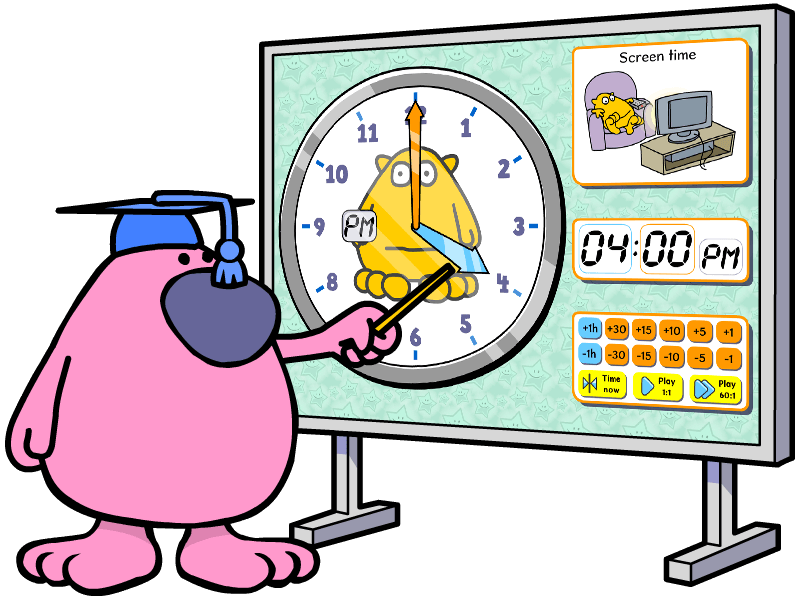
Ready-made tools to introduce, demonstrate and revise topics
Our classroom tools for teachers also include a selection of ready-made resources you can use to introduce subjects, check children's understanding and spark a thought-provoking discussion — perfect for a lesson plenary.
Widgets: Demonstration tools for tricky concepts to invite discussion and encourage experimentation.
Demos: A bit like a video, with a touch of animation and humour to really bring a topic to life! Play controls allow you to stop, recap and get feedback.
Printables: Worksheets on many subject areas to print and reinforce learning away from the screen.
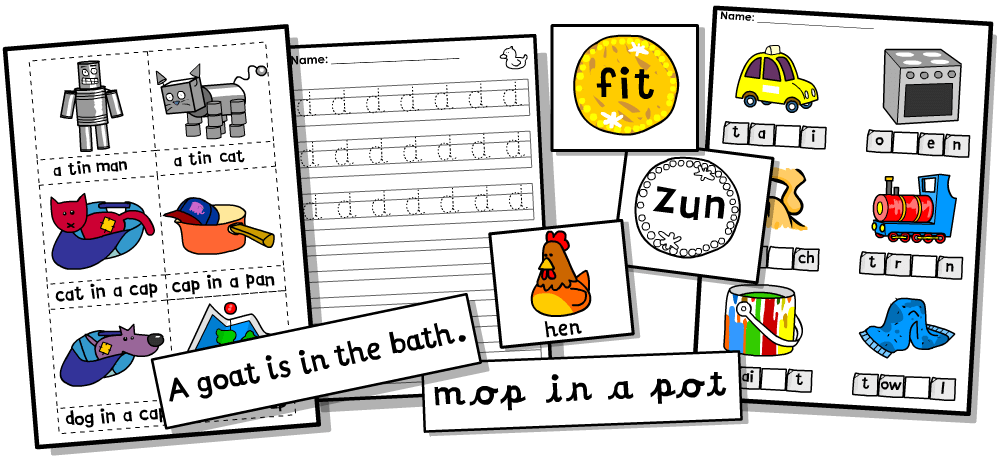
Create custom phonics resources in a jiffy!
You can use our Resource Maker to create a wide variety of paper-based games and worksheets, from letter formation to captioning and much more! It comes with tips from one of our teacher advisers on how to implement these templates in the classroom. It’s especially useful for teaching phonics!
Plus 100s of PDF resources across the curriculum - just press print!
the curriculum too, from colouring pages to worksheets and things to make. You can also access to an extensive library of clipart featuring our lovely characters to save, print and use as you wish! Fantastic for making classroom displays.